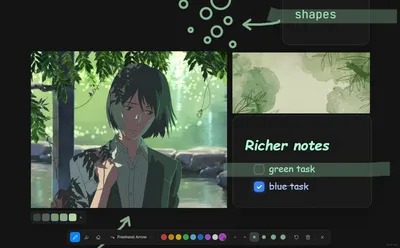
Hi friends,
Lumaref 0.0.3-beta is out. Small update, but it’s the one with the features you actually asked for.
First — thank you. To everyone who bought the beta, left feedback, sent bug reports, or just said “hey this is cool” on Reddit, Discord, or wherever you found me. As an indie dev, getting real feedback from people actually using the app in their daily workflow is the best thing that can happen. None of this update would exist without that.
Here’s what showed up the most in your messages:
- Click-through effect and custom transparency
- Richer text in notes
- Drawing shapes
- Annotations that act like real objects
So I built them. Let’s go.
1. Click-through and custom transparency
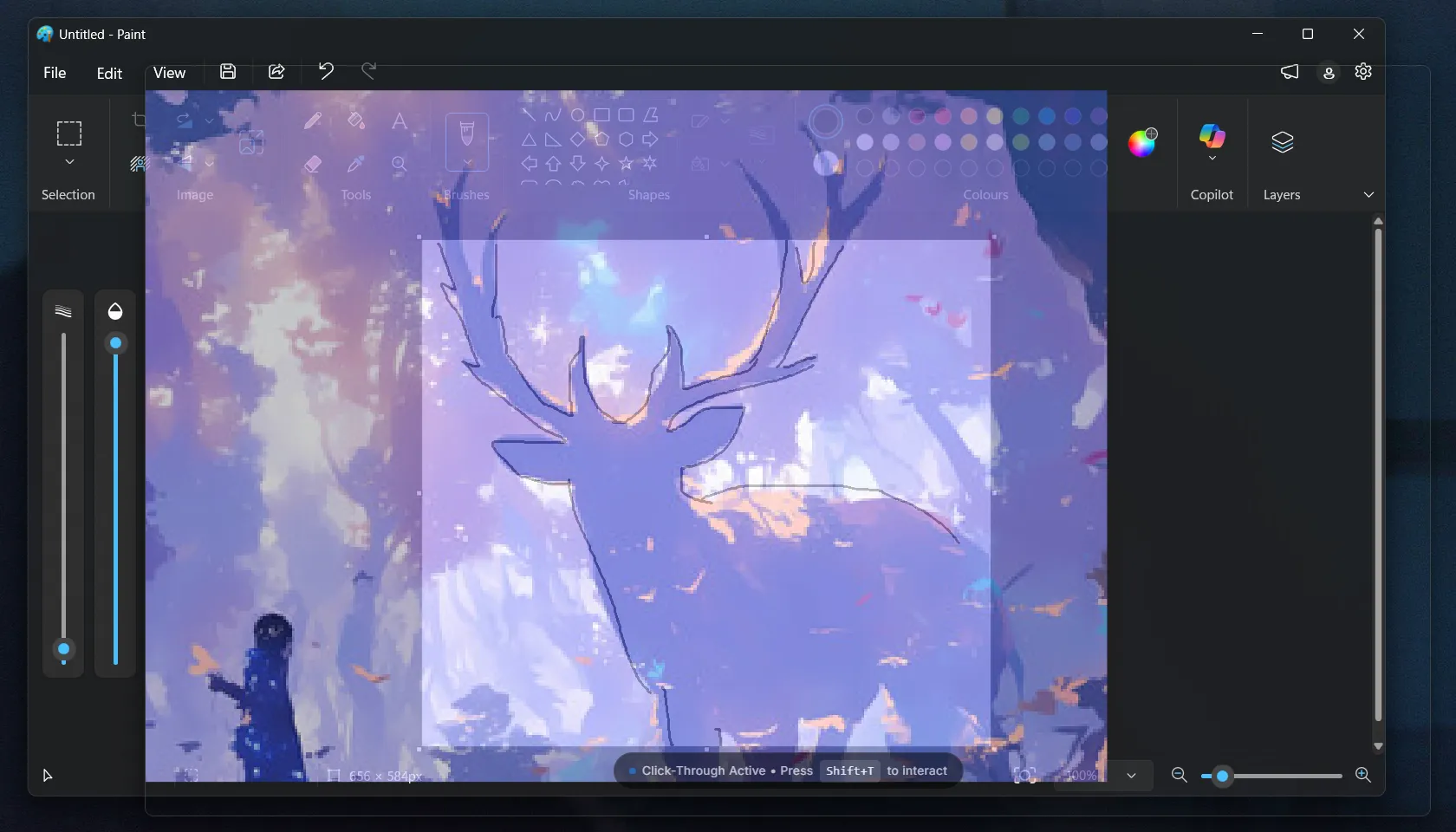
Some of you wanted to use Lumaref as a true overlay while you paint in Photoshop, Krita, or Procreate. That meant it had to stop blocking the canvas behind it.
Now you can toggle transparency mode with Shift + T. Hit it once and Lumaref fades into the background so you can see and click straight through to whatever is behind it. Hit it again to bring it back.
Want it a little less see-through? A little more? You can fine-tune the exact transparency level in the settings. Set it to whatever feels right for your monitor and your eyes.
2. Rich text notes
The notes editor was a little flat before. It worked, but it wasn’t fun to use. That’s changed.
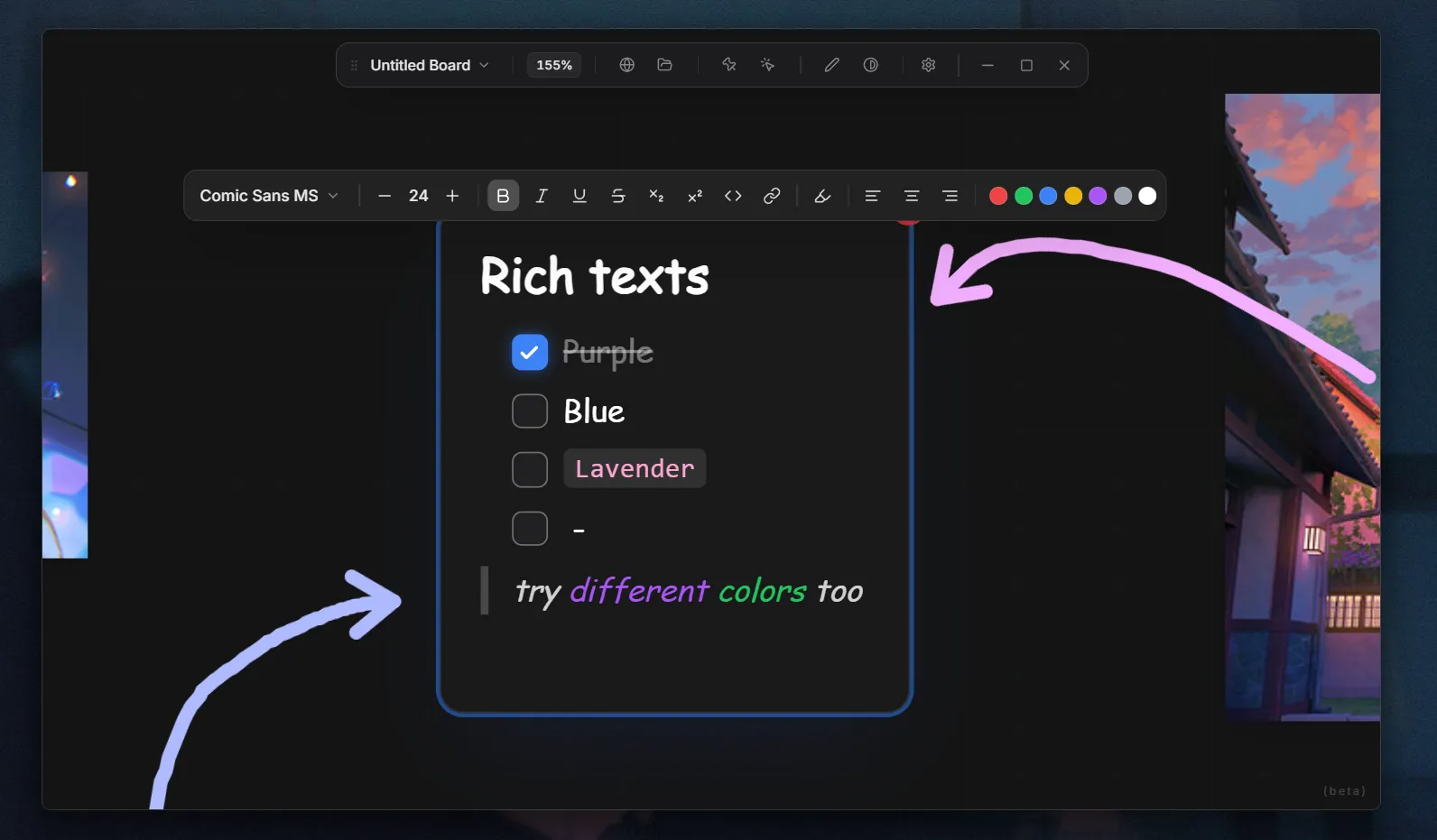
The new editor is inspired by Notion. You get the familiar / command to drop in anything you need:
- Headings
- Todo lists
- Colored text
- Different text styles and formatting
- Code blocks
- Quotes
So your board isn’t just a pile of images anymore. It’s a place where you can plan, scribble, organize, and keep the thinking next to the references. Which, honestly, is the whole point of a reference board.
3. Shapes and 4. Annotations as objects
These two came up together, so I’m putting them together.
Before, annotations were kind of stuck where you drew them. Good for one thing, frustrating for everything else. Now they’re treated as objects — meaning you can draw a shape or a freehand stroke, then come back later, select it, move it, resize it, stretch it, transform it.
That makes sketching, marking up references, building visual notes, and tracing over anatomy a lot more flexible. You can iterate on the same annotation instead of redrawing it every time.
This one I’m really happy with. It changes how the whole tool feels.
Try it in your workflow
That’s the whole update. Small, focused, built from your feedback.
If you haven’t grabbed the beta yet, now’s a good time. Lumaref is $11 as a one-time lifetime price — no subscription, no recurring fee. You buy it once, you own it forever, including every future update. And as the app grows and I figure out a fair sustainable price based on feedback and what’s coming next, early supporters will still get the better deal.
The price will probably shift as the app matures, but everything you’ve already paid for stays yours.
Test these features in your actual daily workflow. Push them. Break them. If something feels off, tell me. If you have a feature you’d love to see, also tell me. I read everything.
What’s next
I’m genuinely enjoying working on this right now. The response from the community has been wild — seeing people try out an idea I built in my room and actually like it is something else. Thank you for that.
For the next few releases I’m exploring:
- PureRef import/export so boards can move between tools easily
- A few other workflow improvements based on what people keep asking for
Until then — take care. See you in the next post.
One email when Lumaref v1.0 goes live.
Get an early-bird discount the day v1.0 ships, plus occasional behind-the-scenes notes. No spam, unsubscribe anytime.
Beta supporters get a v1.0 upgrade key — no action needed.